
OBJECTIVE
This should assist users of the system to be able to login
INSTRUCTIONS
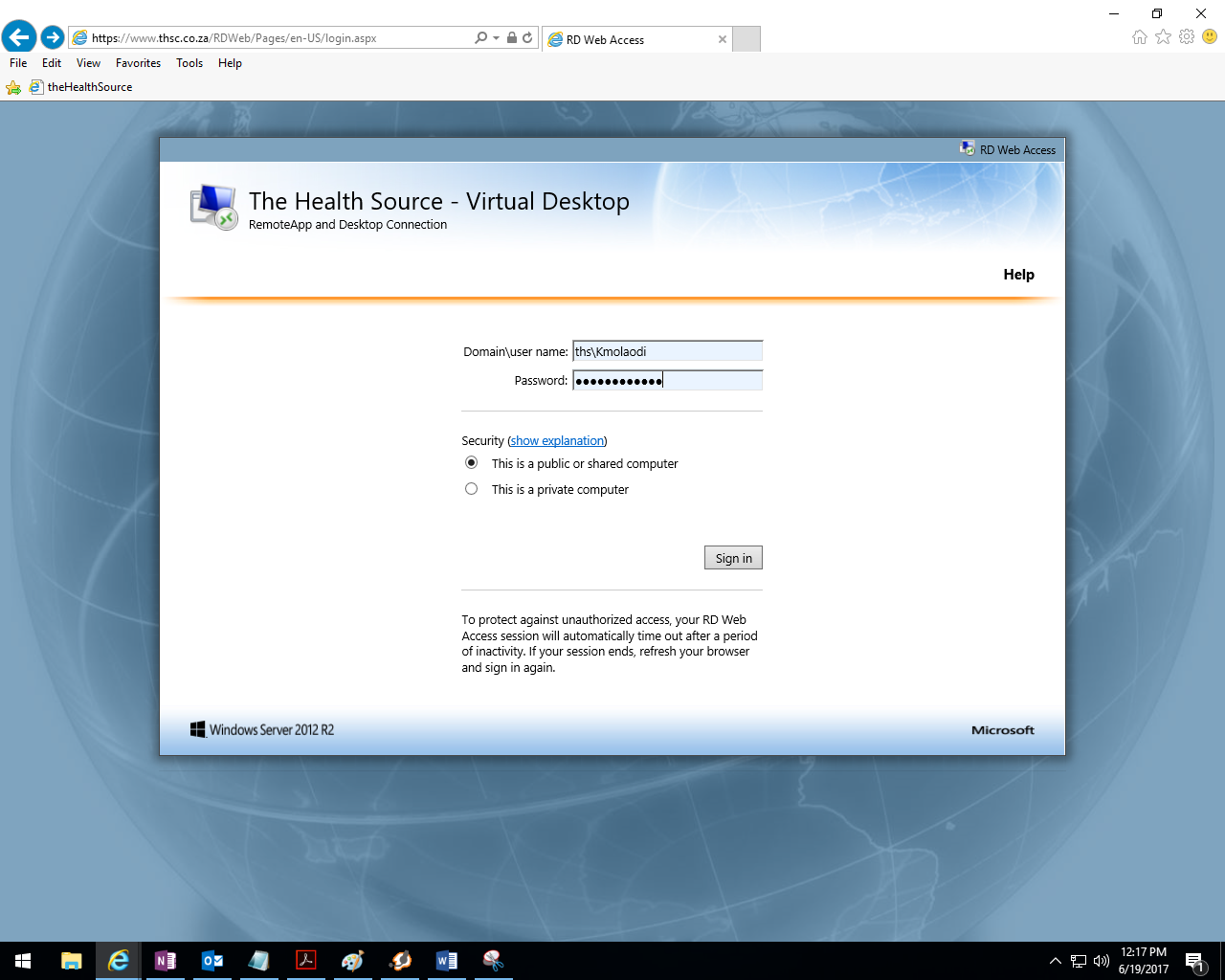
Step 1 : Open Internet Explorer and type in this url https://www.thsc.co.za/RDWeb and the screen below will appear.
Username name and password will be required
- Username : ths\Kmolaodi
- Password is Propharm@123
And press Sign in button
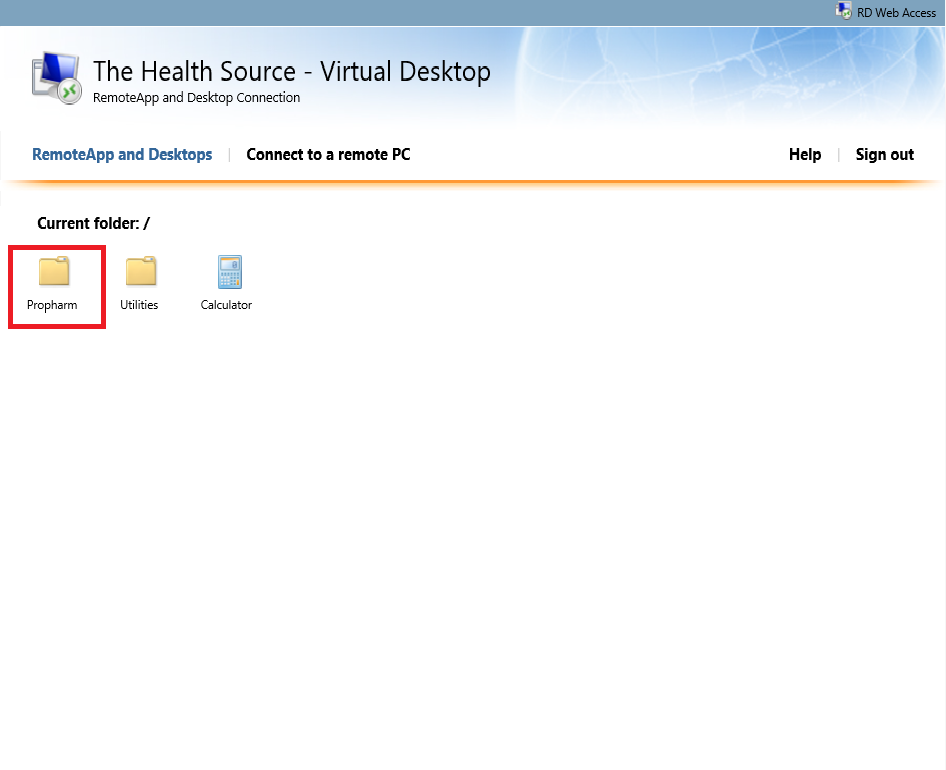
Step 2 : After pressing sign in button screen below will appear. Double click the Propharm folder.
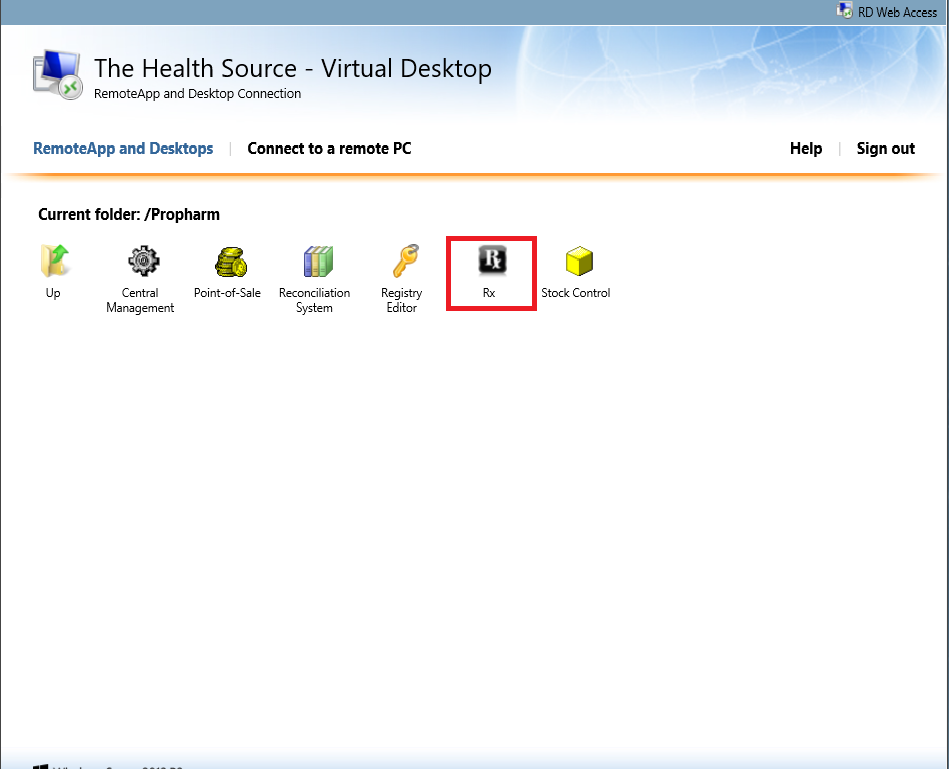
Step 3 : After Propharm folder is opened the screen below will appear. Double click Rx icon.
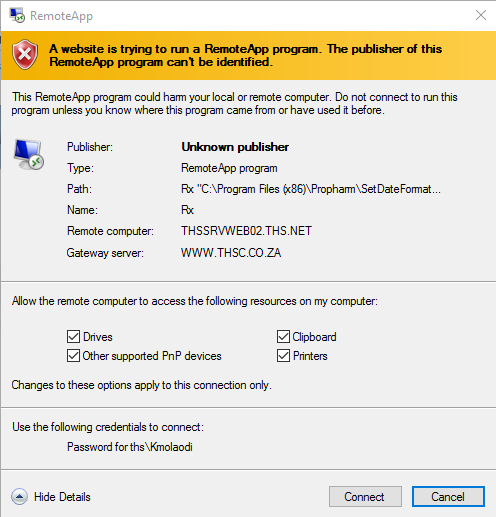
Step 4 : The screenshot below will appear, but it can sometime takes time open. All the check box must be checked and press connect
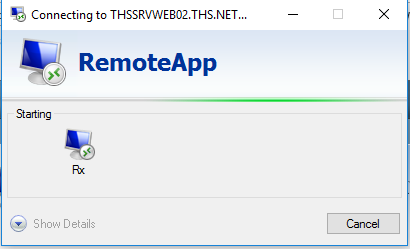
Step 5 : After connect button is pressed then screen below will appear, be patient as it loads as it can take some time to open.
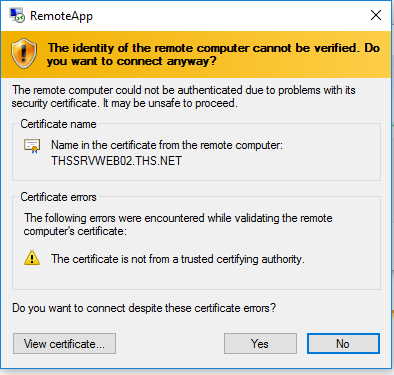
Step 6 : The screenshot below will appear, but it can sometime takes time open. Press "yes"
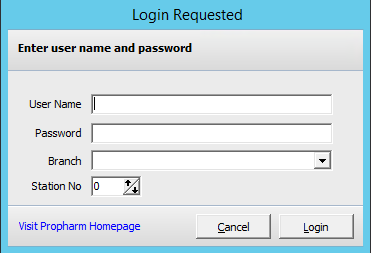
Step 7 : After connection is successful then screen below will appear with username, password and Branch required to go through.
If you require any assistance please do not hesitate to contact support